Flexible security that puts you in control.
Give each team member access that fits their responsibilities. Practice Master Pro lets you tailor individual permissions for reception, practitioners and administrators, so your allied health team can work with the patient information and tools they need.
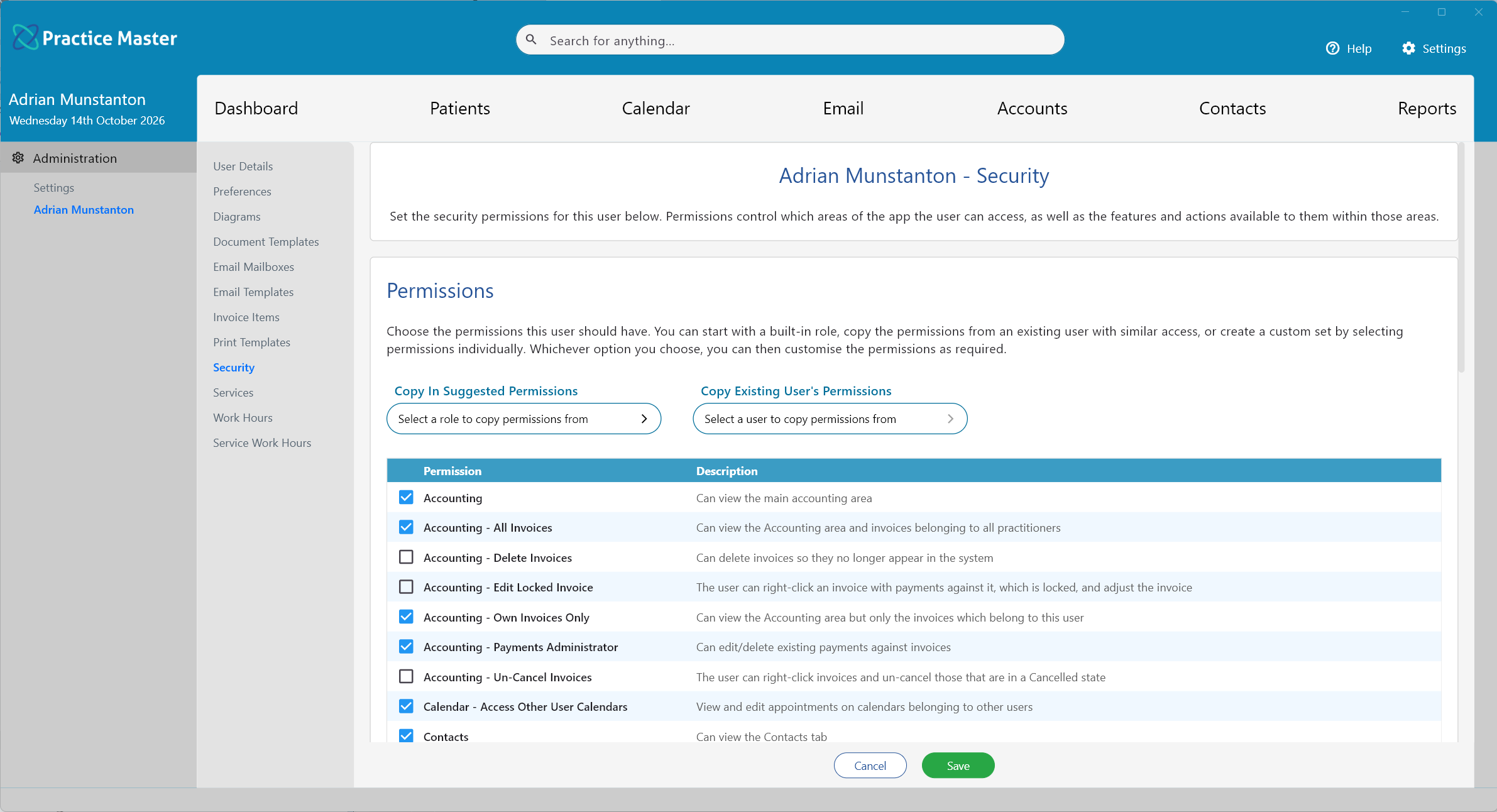
Set clear access boundaries for every team member.
Permissions for each person
Enable or disable individual permissions to match each staff member's responsibilities.
A simpler starting point
Start with suggested permissions for reception, practitioners or administrators, then adjust them for your team.
A more focused workspace
Hide app areas your practice does not use or a team member does not need to see.
Keep control of delegated tasks
Choose which tasks staff can manage themselves and which remain under central control.
Practitioner self-service
Choose whether practitioners can manage their own hours, holidays and service pricing.
Encrypted patient information
Encryption protects identifying information in databases, backups and attached files.
Delegate everyday tasks with permissions you choose.
Let practitioners update their working hours, arrange holiday time or adjust service duration and pricing where you allow it. Choose which responsibilities to delegate and which to manage centrally, so your access settings support the way your clinic operates.
- ✓ Allow practitioners to manage their own hours and holidays
- ✓ Permit changes to service duration and pricing
- ✓ Keep central control over any tasks you choose
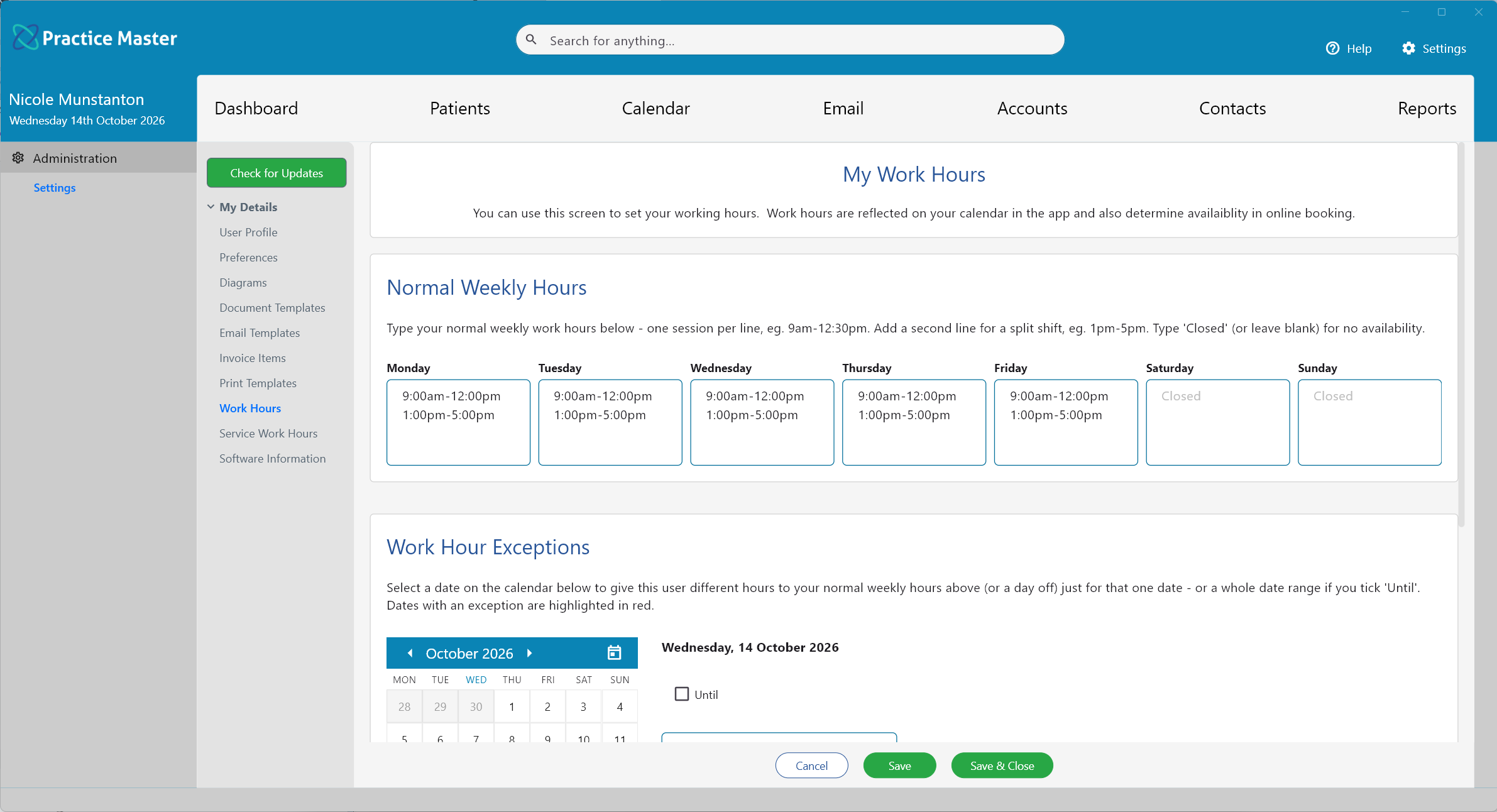
Control access to your connected practice.
Keep your team connected to the practice information they are authorised to use. Practice Master Pro uses a cloud-connected system with individual permissions to help you manage staff access. Encryption protects identifying information in the cloud database, backups and attached or generated files, with encrypted connections protecting data as it moves between your app and the cloud.
- ✓ Work with patient information in a cloud-connected system
- ✓ Tailor access permissions for each staff member
- ✓ Protect identifying information with encryption in the cloud and backups
Try flexible security for your practice.
Start your free 14-day trial of Practice Master Pro. Explore staff permissions and practitioner self-service settings, and see how they fit your team's responsibilities.